Your Classroom, Under Control
See every screen. Lock any device. Send messages to all. Real-time classroom management that actually works.
4 out of 5 students off task — teacher has no idea.
You can't manage what you can't see
of class time lost to off-task device use
students admit to going off-task on devices daily
it takes a distracted student to refocus after going off-task
Everything a teacher needs in one dashboard
Monitor screens, lock devices, send messages, and keep students on task — all without leaving your desk.
Live Screen Monitoring
See every student screen in real time
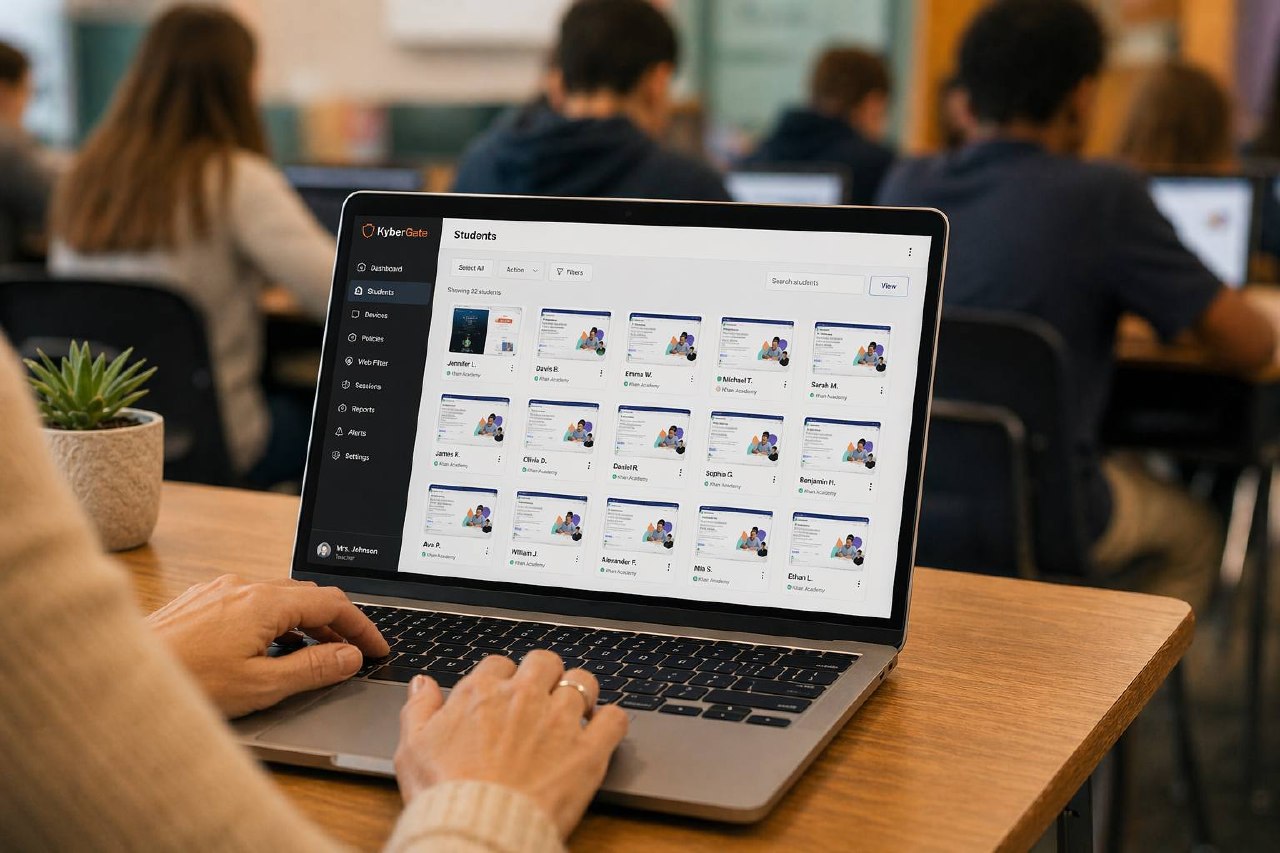
View thumbnail previews of all student screens from a single teacher dashboard. Instantly spot off-task students, identify who needs help, and monitor progress — all without walking around the room.
Instant Device Lock
Get attention with one click
Lock individual devices or every screen in the room instantly. Students see a custom lock screen with your message. Perfect for getting attention during transitions, before quizzes, or when a student goes off-task.
Broadcast Messages
Send instructions to every screen
Send text messages or links directly to student screens. Announce quiz start times, share important links, or send reminders — all without interrupting your lesson. Students see a non-dismissable notification.
Teachers in Control
Monitor every screen in real time, push links, lock devices, and keep students focused — all from one dashboard.
Classroom Management That Works
Measurable impact from day one
0+
Screens Monitored
0
Devices Locked Today
0%
On-Task Improvement
<0ms
Avg Lock Time
KyberGate vs Other Classroom Tools
Classroom management + web filter + AI monitoring in one platform. No more juggling tools.
| Feature | KyberGate | GoGuardian | Securly | Lightspeed | Hapara |
|---|---|---|---|---|---|
| Full HTTPS Inspection | |||||
| AI Content Classification | |||||
| Game Detection Engine | |||||
| Student Safety Alerts | |||||
| Classroom Management | |||||
| iPad Native Support | |||||
| Multi-Platform Coverage | |||||
| Included in Base Price |
Frequently Asked Questions
Common questions about KyberGate classroom management.
“I used to spend half my class time walking around checking screens. KyberGate lets me see all 30 devices from my desk. When Tyler pulls up YouTube, I lock his screen in 2 seconds. Game changer for classroom management.”
Jennifer Walsh
8th Grade Math Teacher, Oak Valley Middle School · 5 years teaching
Take Control of Your Classroom
Start your free pilot today. Full classroom management suite. No credit card required.